01 / Before you buy
Three jobs. Sometimes one box.
“Hub” is a product name, not a guarantee of capabilities. A device may do one, two or all three of these jobs.
Matter controller
Adds and manages Matter devices in your chosen smart-home platform.
Start with the app you want to use. Your speaker, display or streaming box may already provide its controller.
Thread border router
Connects a Thread network to your home’s IP network.
Relevant for Matter-over-Thread devices. It does not, by itself, provide every platform’s Matter controller.
Matter bridge
Exposes supported non-Matter accessories to a Matter platform.
Useful for compatible Zigbee or Bluetooth devices. Check the bridge’s exact accessory list; radio support alone is not enough.
Check the hardware you already own
Google Home
Google requires a supported Matter hub. Nest Hub (2nd gen), Nest Hub Max, Nest Wifi Pro and Google TV Streamer also support Thread. A Nest Mini supports Matter over Wi-Fi but does not fill the Thread border-router role.
Check Google’s hub list →Apple Home
Apple documents local Matter control on iOS 18 or later without a home hub, with additional device-specific conditions for Thread. A suitable home hub is still Apple’s recommendation for the best experience. Check your exact iPhone, HomePod or Apple TV model and software.
Check Apple’s current requirements →Already using another platform? Check its supported controllers and your device’s setup instructions first. A Wi-Fi Matter accessory does not need a Thread border router just because it uses Matter. A bridge is useful only when you need to bring supported non-Matter accessories with you.
02 / Find your fit
Choose around your devices.
These are different tools for different homes. The requirements below come from manufacturer documentation; we have not performed hands-on reliability testing.
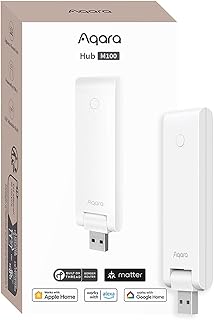
For an Aqara home with Thread devices
Aqara Hub M100
A compact starting point if you want to manage supported Matter devices in Aqara Home and bring compatible Aqara Zigbee devices into another Matter platform.
- Role
- Controller · bridge · Thread border router
- Connection & power
- 2.4 GHz Wi-Fi · USB-A power
What you need
- Aqara Home for setup; check the exact child-device and platform support.
- An always-powered USB-A 5 V / 0.5 A power source and a 2.4 GHz Wi-Fi network.
Check before choosing
Aqara Zigbee support does not mean arbitrary third-party Zigbee support. This is the M100; it does not inherit the M3’s Ethernet or IR features.
Aqara US is a direct non-affiliate link.
US single-hub offers. Amazon: HM-G02E. Aqara US: matching GTIN, 1 hub with manual; a separate power adapter is not listed. Confirm included accessories and retailer terms.
View catalog record →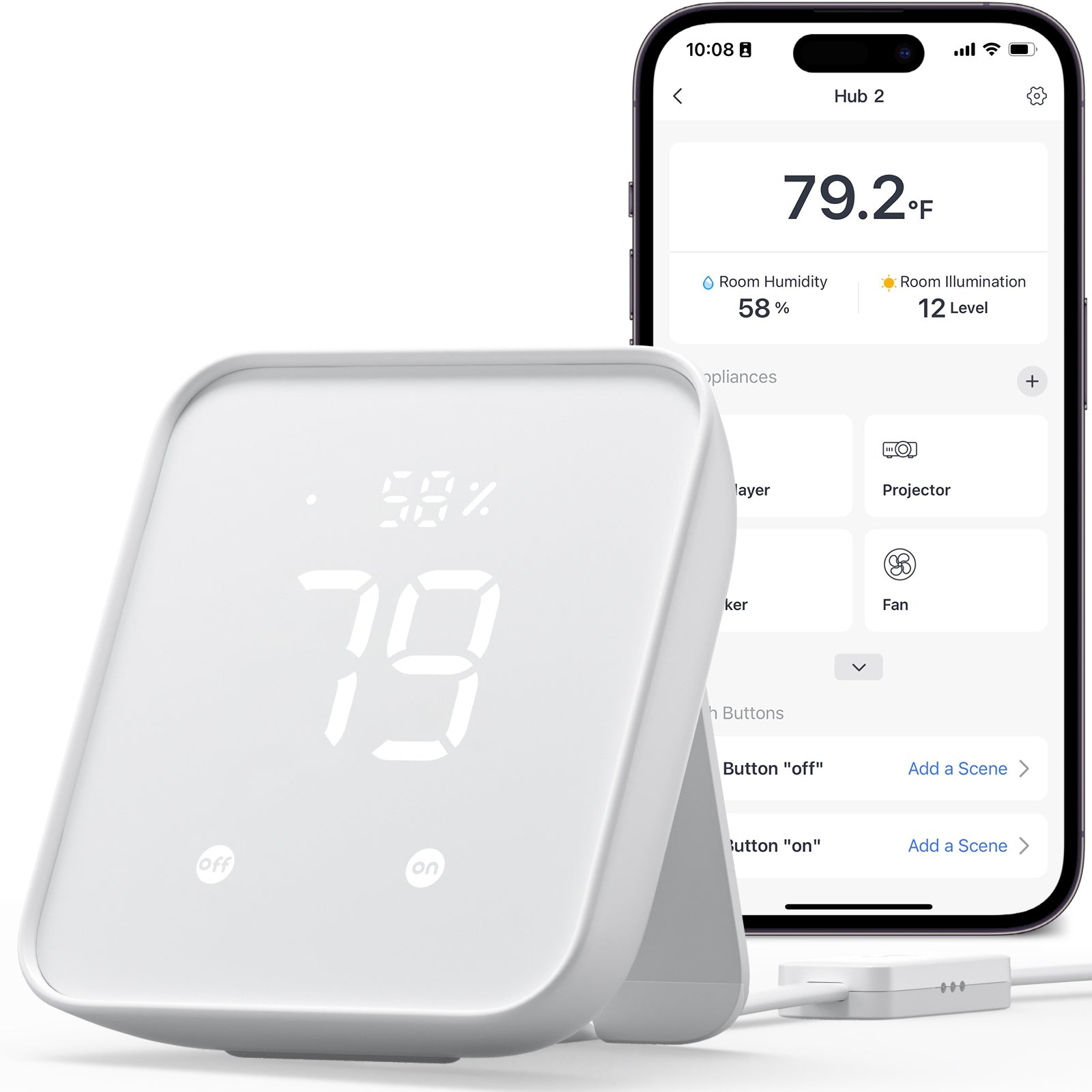
For compatible SwitchBot devices
SwitchBot Hub 2
Bring supported SwitchBot devices into your chosen Matter platform. The Hub 2 also provides temperature and humidity readings and infrared control in the SwitchBot app.
- Role
- Matter bridge
- Connection & power
- 2.4 GHz Wi-Fi · USB power
What you need
- SwitchBot app, current firmware and a compatible Matter controller for your chosen platform.
- Check the compatibility list for your exact accessory and Hub 2; support varies by hub and feature.
Check before choosing
No Thread border router. Not every SwitchBot accessory or infrared function is exposed through Matter; some integrations are beta.
Hub 2 only. The US store offers pack options; confirm your selection.
View catalog record →
For an existing Hue lighting system
Philips Hue Bridge
Connect supported Hue lights and accessories through the Hue Bridge, then add the bridge to a Matter platform. If you already own the square Hue Bridge, check its software before buying another.
- Role
- Matter bridge
- Connection & power
- Ethernet · supplied power adapter
What you need
- Compatible Hue/Zigbee lights or accessories paired to the bridge and the Hue app for setup.
- A router Ethernet port; the linked standard white Bridge is distinct from Bridge Pro and the older round bridge.
Check before choosing
Not a Thread border router or a general-purpose controller for third-party Matter devices. Hue’s HDMI sync box and the Tap dial’s dial function are excluded from Matter support.
US listing. Confirm model, included items and regional requirements at the retailer.
View catalog record →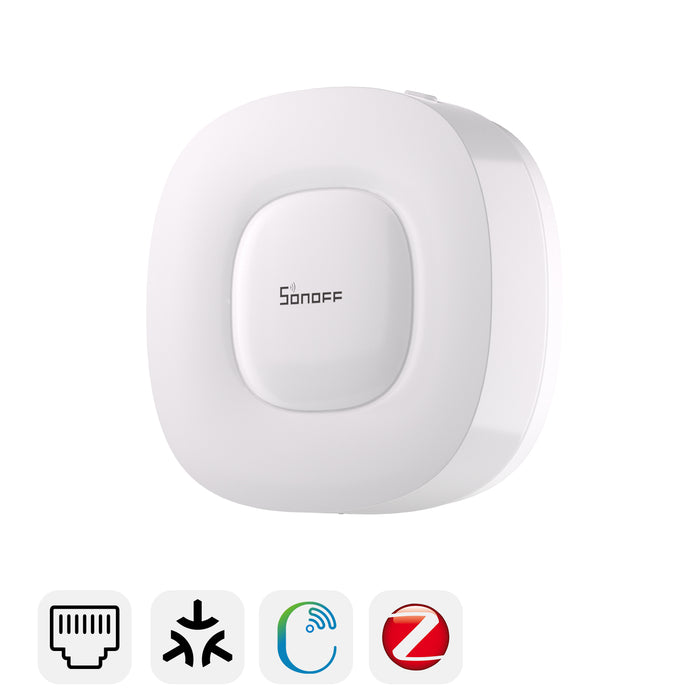
For supported Zigbee devices — check your model and platform
SONOFF Zigbee Bridge Ultra
The ZBBridge-U can bridge supported Zigbee devices into your Matter platform. Check SONOFF’s device/platform matrix and your installed firmware for the features you need.
- Role
- Matter bridge
- Connection & power
- Ethernet or 2.4 GHz Wi-Fi · USB-C power
What you need
- Compatible Zigbee devices and a compatible Matter controller for your destination platform. Keep the bridge, controller and setup device on the same local network.
- A 5 V / 1 A USB power supply. Connect by Ethernet or 2.4 GHz Wi-Fi; use eWeLink or the local browser interface supported by your installed firmware.
Check before choosing
Not a Thread border router. Device support and exposed features vary by model, platform and firmware; do not assume every Zigbee device will work. Bridge Pro is a different model.
Amazon US: confirm included accessories. ITEAD standard pack: 1 ZBBridge-U, 1 m Ethernet cable, 1 m USB Type-C cable and quick guide; power adapter not listed. Provide a suitable 5 V / 1 A USB supply. ITEAD ships from China; check delivery to your address, shipping and import costs.
View catalog record →Before you connect it
Will one hub connect every brand?
No. A shared radio or Matter logo does not guarantee that a bridge supports every accessory. Match the exact child device, its firmware and the destination platform’s supported device types.
Does Matter give me every feature in every app?
No. Manufacturer apps may expose features that the Matter integration does not. Check the functions you need—such as scenes, sensors or infrared control—before relying on a cross-platform setup.
Should I replace an existing bridge?
Check its firmware and current Matter support first. For example, Hue documents Matter support for the square Hue Bridge. Replacing working hardware may not add the role your setup is missing.
Is the Aqara M100 the same as the M3?
No. They are separate models. The M100 listing in this guide is the USB-A model; M3 specifications such as Ethernet and infrared control must not be attributed to it.
How this guide was prepared
Manufacturer documentation and US retailer identities were reviewed September 16, 2026, with SONOFF setup guidance updated September 17. ITEAD’s ZBBridge-U standard pack and shipping terms were checked September 18; Amazon’s included accessories were not rechecked. Aqara M100 retail identifiers, single-hub offers and certification scope were reviewed September 20; other retailer identities were not rechecked in that update. This is an editorial fit guide, not a lab test or an exhaustive ranking. Manufacturer capabilities and a consumer listing are separate from a specific CSA certification record.
Prices, stock and promotions change. We use “Check price” so you can confirm the exact variant and current terms with the retailer. Models without a sufficiently clear match are left out of these recommendations; their catalog records remain available.
Looking specifically for M3 features? Read Aqara’s separate M3 specifications. Read our editorial policy.